
Discover the work
Map today’s steps and handoffs, or define the outcome and requirements for a new process.
Map the work, compare improvements, and model potential gains against AI costs. Give clients a reviewed build plan with clear roles for agents and people.
Free to start in your browser. No account required.

Use the current process to find repeated work, design a better path, and decide where an AI agent could help. This new employee onboarding flow is an illustrative example, not a live automation.
HR gathers hire details, the manager confirms the role, and IT waits for a complete access plan.
An agent candidate prefills a checklist; HR reviews gaps, IT drafts the access plan, and a manager approves it.
Missing role or start-date details can delay access and equipment. A person remains responsible for approval.
A guided path from today’s work to a reviewed plan your AI builder can implement.
Map today’s steps and handoffs, or define the outcome and requirements for a new process.
Document impact, test root causes and compare possible interventions.
Review an improved workflow and decide where agents may help. Keep controls with people.
Compare potential gains with people, AI usage, licensing, and lifecycle costs using your process data and assumptions.
Export maps, slides and a reviewed package for your chosen AI builder.
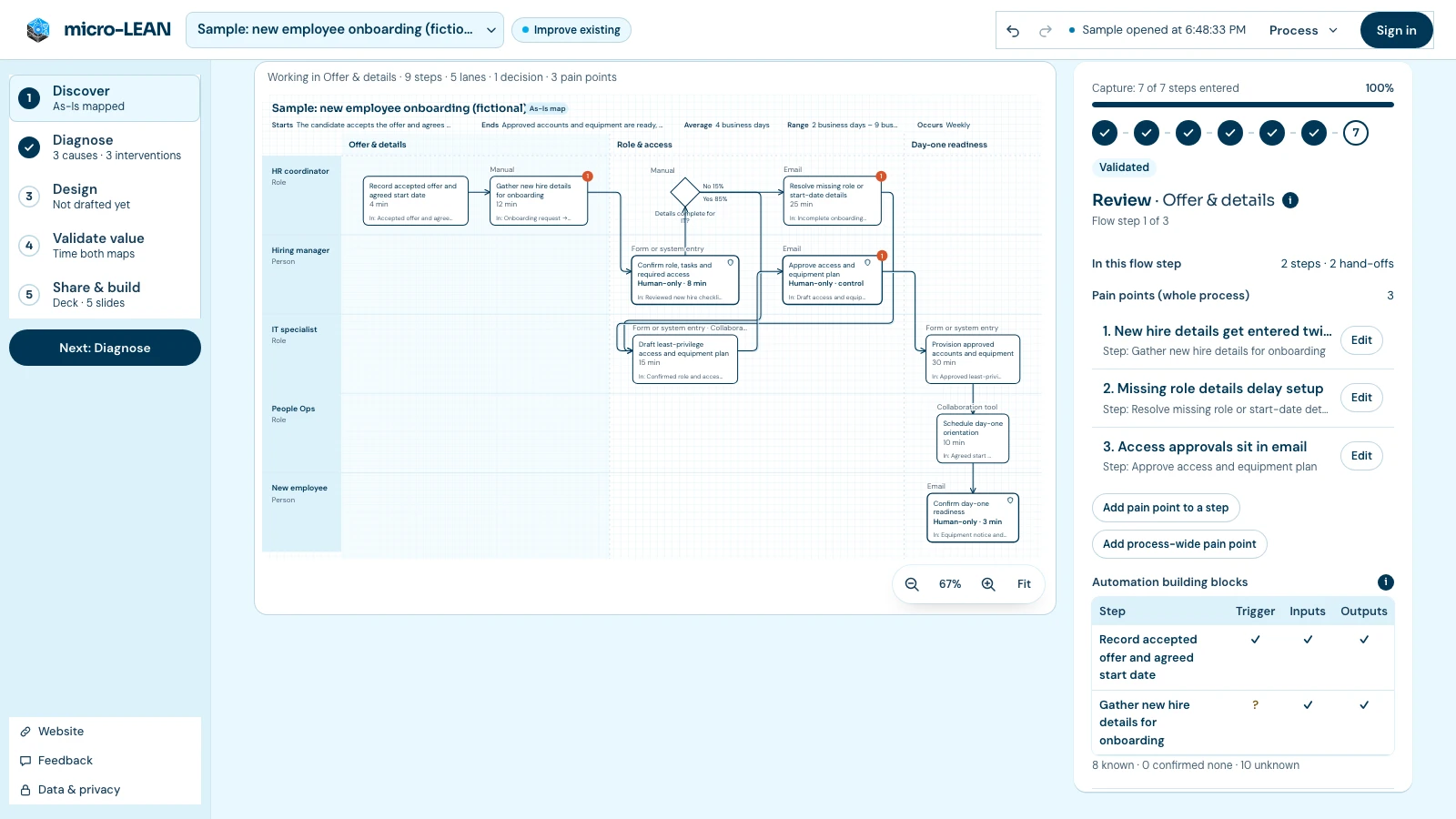
Follow the Existing process path from employee onboarding to an AI-ready handoff. See what each stage does, why it matters, and how lifecycle AI usage and licensing costs compare with efficiency gains. The app designs the plan; your chosen builder implements it.
Show clients where AI fits, explain the value assumptions, and hand over a reviewed plan for the build.
Connect requirements, workflow decisions, and human approvals in a specification your implementation team can review.
Evaluate one workflow, compare potential gains with costs, and decide what your team should keep in human hands.
Design in your browser or sign in to sync. You choose what to share with an AI builder and which steps stay with people. micro-LEAN exports a reviewed plan; it does not run the agents for you.
How your data is handledAll prices are in USD. Simple plans for individuals now, with team access planned.
For anyone making work better
$0 / month
3 active processes
For consultants and business analysts
$15 / month
Or $144 per year, billed annually
For operations teams and business units
Let’s talk
Bulk user pricing is planned.
Free includes 3 active processes. Pro subscriptions renew automatically until canceled. Existing work stays accessible. Manage billing · Payment and refund terms.
Map and improve a process, decide where agents fit, and export a reviewed build package. Implement and test that package in the AI builder you choose. micro-LEAN does not run agents or automatically send your process data to an AI model.
No. The workflow guides you through the questions, and you can start with a process you already know.
One project with its current and proposed future state, diagnosis, value model and handoff.
Yes. Work stays in this browser. Export a backup if you want a copy; sign in for cloud sync or a Pro subscription.
Free includes 3 active processes. Pro is $15 USD monthly or $144 USD annually for one user. Sign in before secure checkout. Manage renewal, payment methods and invoices from Billing; existing work stays accessible if Pro ends.
Bulk access and pricing are planned. Tell us about your team.